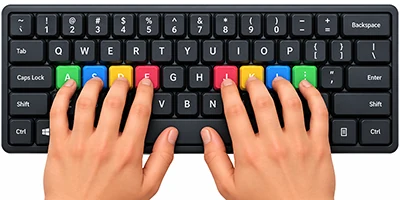
TypingSpot is a free Urdu typing course with 12 short lessons. You start on the home row and finish with full paragraphs. You type on your normal English keyboard, and each key turns into an Urdu letter. No install and no sign-up.
Lessons12 (9 main, 3 bonus)
KeyboardYour English keys, phonetic layout
You seeLive WPM and accuracy
CostFree, no sign-up
GuidesOn-screen keyboard and hand guides
Works best onA computer keyboard
Why learn Urdu typing?
Urdu is used in offices, schools, newspapers, data entry and online work.
Fast, accurate typing saves time on every document and message.
Some job tests ask for Urdu typing speed.
1.76 billion dollars: what Pakistani freelancers earned in the 2025-26 financial year, up 78% on the year before, per State Bank of Pakistan data reported by Business Recorder. Typing speed alone does not get you a job, but many of these jobs use it.
Who is this Urdu typing course for?
Beginners
You have never typed in Urdu. Start at Lesson 1.
Students
You want to type assignments and notes faster.
Job seekers
You need to build speed for a typing test. Read the exam notes first.
Writers and freelancers
You type Urdu text for work and want fewer mistakes.
Where should I start with Urdu typing?
Pick the row that matches you today. If you are unsure, begin at Lesson 1. It only takes a few minutes.
Pick a lesson. Open the lessons page and pick one.
Learn the keys. Each lesson starts with short pages for single letters or small groups.
Build words. Next come two to five letter words, then phrases and sentences.
Do the mixed practice. Each lesson ends with one page that mixes everything you learned.
Watch your score. Speed in WPM and accuracy update as you type.
Each lesson page has an on-screen keyboard that shows the next key, and hand guides that show which finger to use. You can hide the keyboard once you stop needing it.
No. Use your normal English keyboard. If you already have a phonetic Urdu keyboard installed, that usually works too.
Why does the layout matter?
Other layouts, like the Windows Urdu keyboard and InPage, put letters in different places. If a job or exam uses one of them, practise on that layout as well. Ask before you choose.
What is the difference between Roman Urdu typing and this course?
Roman Urdu typing
You write Urdu words with English letters, like “kya haal hai”. A tool turns them into Urdu script.
This course
Each key always types one fixed Urdu letter. You learn the real layout, and your hands remember it.
Type the letter first, then the mark. See Bonus 3.
Is this course good for government job typing tests?
It helps you build speed and accuracy. It is not an official exam and gives no certificate.
Check the job notice. Layouts, speed targets and error rules change from post to post. Practise on the layout the test uses, then take the Urdu typing test to check your pace. Our test page lists what to check before an exam.
Can I learn Urdu typing on my phone?
The course is built and tested for a computer keyboard. Phone typing may not be scored correctly, so use a computer for real practice.
No computer at home? Only 14% of Pakistani households owned a computer, laptop or tablet in the 2024-25 government survey (Pakistan Bureau of Statistics, reported by FAFEN). A school, library or training centre computer works.
What do I get with TypingSpot’s Urdu course?
You get
You do not get
12 free lessons, from keys to paragraphs
A certificate
Practice on your normal English keyboard
An account or cross-device sync
Live WPM and accuracy
Phone-tested typing
On-screen keyboard and hand guides
Ads
Is my typing stored or shared?
What you type stays in your browser.
We do not ask you to sign up, and we do not send or save your text.
We use Google Analytics to count visits to the site.
About this course
Made by
The TypingSpot team. TypingSpot is a free typing practice site for English, Arabic and Urdu.
How scoring works
Same as the Urdu typing test: every 5 correct letters count as one word.
Layout
One phonetic layout. Other layouts place letters differently.
Limits
Best on a computer keyboard. No certificate. Progress is saved in your browser only.
Frequently asked questions about learning Urdu typing
How do I start the TypingSpot Urdu course?
Start with Lesson 1 and work through the 12 free lessons in order. Each one adds new keys, from the home row to full paragraphs, and shows your speed and accuracy as you type.
Is this Urdu typing course free?
Yes. It is free, with no sign-up and no ads.
Do I need to install an Urdu keyboard?
No. You type on your normal English keyboard. Each key types the Urdu letter with a similar sound, so A types ا and B types ب.
How many lessons are there?
There are 12: nine main lessons and three bonus lessons on numbers, punctuation and diacritics.
Why learn Urdu typing?
Urdu typing helps with office work, data entry, writing and freelancing, and some job tests ask for it. Fast, accurate typing also saves time on every message and document.
What is the difference between Roman Urdu typing and this course?
Roman Urdu typing means writing Urdu words in English letters and letting a tool convert them. In this course, each key always types one fixed Urdu letter, so you learn the real layout.
Which keyboard layout does the course teach?
A phonetic layout. Other layouts, like the Windows Urdu keyboard or InPage, place the letters in different spots, so check what your exam or workplace uses.
Where should a complete beginner start?
Start at Lesson 1: Home Row. If you already type a little, take the Urdu typing test first and pick a lesson that matches your result.
How long does it take to learn Urdu typing?
It depends on how often you practise. One practice site says 25 to 30 minutes a day can reach about 20 to 25 WPM in 3 to 4 weeks. Treat that as a rough guide, not a promise.
How often should I practise?
About 15 minutes a day works better than one long session a week. Short, regular practice builds muscle memory.
Can I learn Urdu typing on my phone?
The course is built and tested for a computer keyboard. Phone typing may not be scored correctly, so use a computer.
Does the course give a certificate?
No. TypingSpot does not give certificates. Government exams use their own tests, so check the job notice for what counts.
Is this good for government job typing tests?
It helps you build speed and accuracy. It is not an official exam. Layouts and targets change from post to post, so read the job advertisement and practise on the layout it names.
How do I type zabar, zair and pesh?
Type the letter first, then the mark. Zair is Shift + comma, zabar is Shift + full stop, pesh is Shift + P, jazm is the [ key, tashdeed is Shift + ], khara zabar is Shift + I and khari zer is Shift + F. Bonus 3 teaches these.
Does TypingSpot save my progress?
Yes, in your browser only. Each drill earns up to 5 stars for accuracy and speed, and the lesson list shows how many drills you have passed. There are no accounts, so clearing your browser data or switching device resets it.